


 |  |  |  |  |  |  |
Free Beyond ATC LOG Scanner 4.71
Using BATC logs, it creates a transcript of all conversations between you and the tower during a flight.
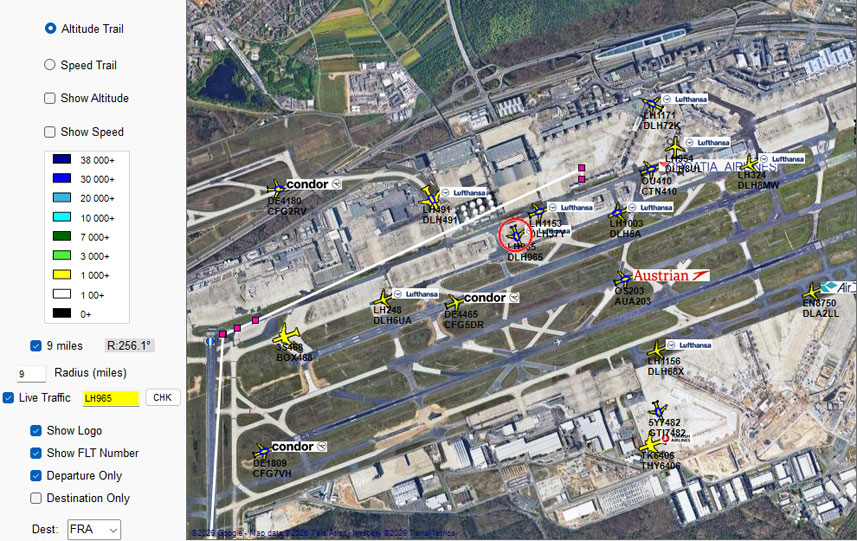 |
| Traffic Flying to destination (FRA) are marked with a blue flattened circle. Data based on navigraph subsription. |
Download Beyond ATC Log Scanner 4.71
| You may have to refresh this page to see latest version |
- Refined call sign capture logic, ensuring clear separation between ATC and pilot communication streams.
- Various enhancements
| Download setup BLS 4.71 | |
 | Quick PDF Guide |
GSX
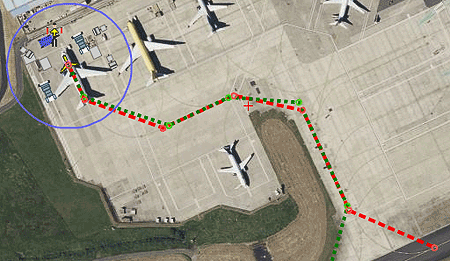
BATC can trigger various GSX Pro commands whenever the user requests a pushback or a gate after arrival.
GSX Profile Editor FREE editing All GSX Pro Profiles from a PC
|  |
CPDLC Latest New Features
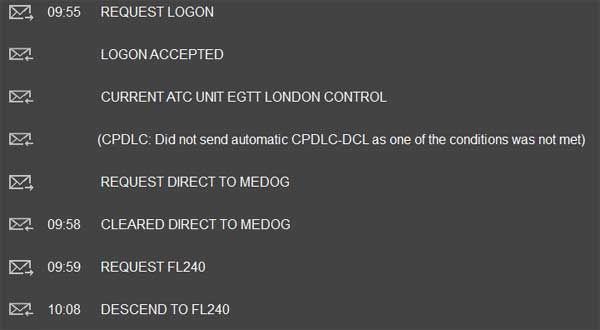
The experimental Version now offers new features, ie support for direct to and new altitude requests via CPDLC.
 |
Click on markers to show instructions
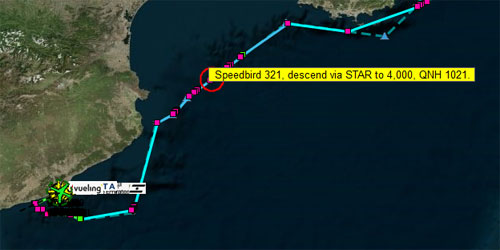 |
| Early descent instructions |
Maps
| 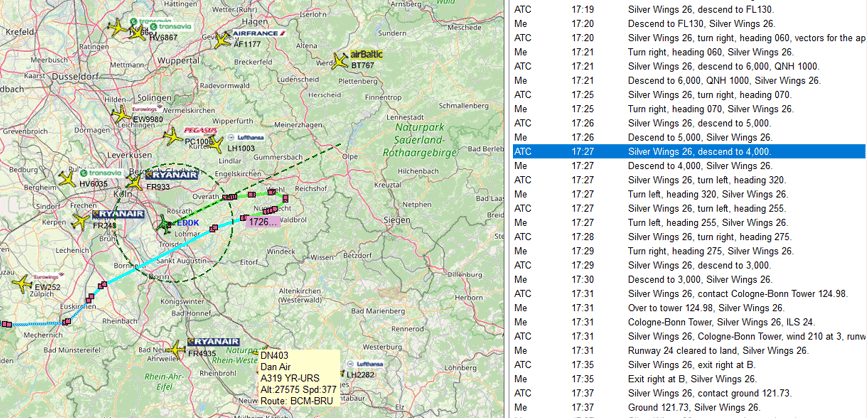 |
Colour coded transcript
It analyses pilot's communications logged by BATC using various colours - this option can be disabled.
- ATC : YELLOW
- ATC not understanding response : ORANGE
- ATC Warning : RED
- Pilot's response:PURPLE
- Automatic Pilot's response : CYAN
The more confident you are communicating with ATC , the more purple you will see.
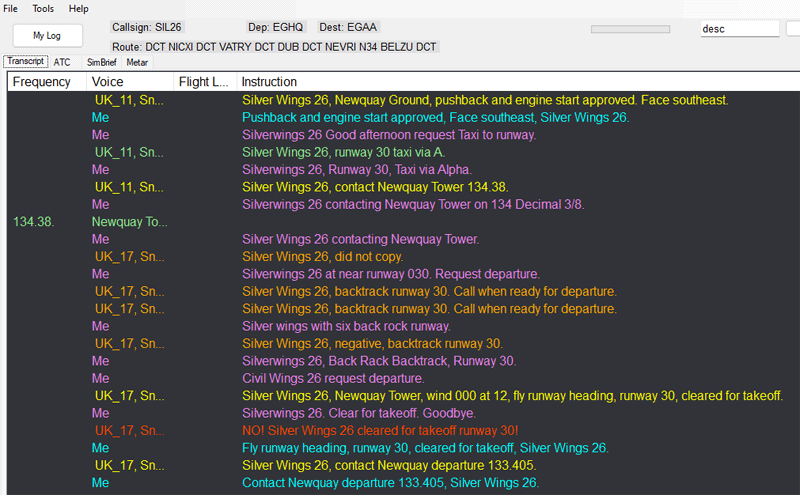
| Departing from EGHQ |
Where are BATC logs ?
BLS automatically locates the logs for you;
they are always kept in:
<drive>:\users\<username>\AppData\LocalLow\Skirmish Mode Games, Inc\BeyondATC\player.log
Note:
some log files contain no communication between pilot and ATC
Player.log is contains information about your last flight . When you start BATC this file gets wiped and replaced
Player-prev.og contains the previous flight. BATC always overwrites logs unlike FSLTL
BLS gives you the option to copy and rename your logs so they don't get overwritten by BATC.
