


Windows Installation Procedure |
|
| Windows 'by default' requires specific administrative rights to save data or create folders. | |
All programs are checked for viruses or malware using We hate malware being included in any software! |
|
ALWAYS RIGHT CLICK AND RUN AS ADMINISTRATOR Note: the program , NOT the shortcut, must be run as Administrator |
|
| 1) To install 'setup' file Right Click --> Run as Administrator |
All our programs run on Windows 7-11 using the following procedure: |
| 2) Click 'More info' | 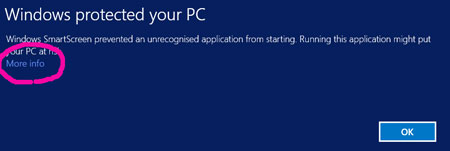 |
| 3) Click 'Run anyway' | 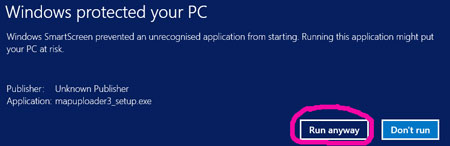 |
| Windows Installation Procedure | |
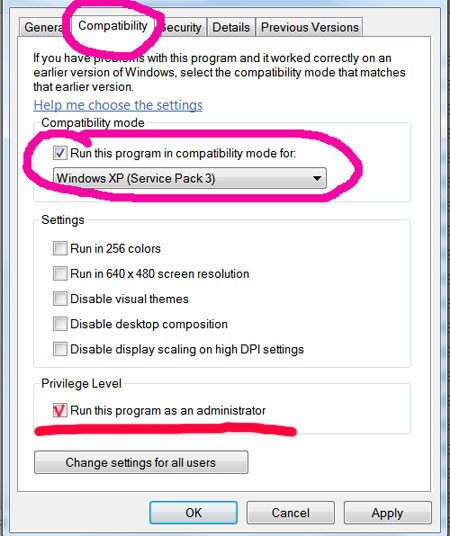
4) Right click on the 'exe' file & click on Properties |
|
5) Tick Compatibility TAB 6) Tick 'Run this etc'
7) Select Windows XP (service Pack 3)
8) Click Apply
THIS ONLY NEEDS TO BE DONE ONCE!
9) Double click on your exe to launch the program
|
 |